

In this blog, we get an idea of how to create select and multiselect type product attributes.
Following is a sample code example of a data patch to create a select type product attribute. You can get the full code example from our last blog: How to create custom product attribute using Data Patch in Magento 2. Here we explain to you only the apply() method changes in a data patch file.
File Path: app/code/Mage2/Demo/Setup/Patch/Data/AddDropdownProductAttribute.php
public function apply()
{
    try {
        $productTypes = implode(',', [Type::TYPE_SIMPLE, Type::TYPE_VIRTUAL]);

        /** @var EavSetup $eavSetup */
        $eavSetup = $this->eavSetupFactory->create(['setup' => $this->moduleDataSetup]);

        $eavSetup->addAttribute(Product::ENTITY, 'sample_dropdown_attribute', [
            'type' => 'int',
            'backend' => '',
            'frontend' => '',
            'label' => 'Sample Dropdown Attribute',
            'input' => 'select',
            'class' => '',
            'source' => \Mage2\Demo\Model\Source\Config\Options::class,
            'global' => ScopedAttributeInterface::SCOPE_GLOBAL,
            'visible' => true,
            'required' => false,
            'user_defined' => false,
            'default' => '0',
            'searchable' => false,
            'filterable' => false,
            'comparable' => false,
            'visible_on_front' => true,
            'used_in_product_listing' => true,
            'unique' => false,
            'apply_to' => $productTypes
        ]);

    } catch (\Exception $e) {
        $this->logger->critical($e);
    }
}
For creating a multiselect type product attribute, we just need to change the ‘input’ value to ‘multiselect’ in the above sample data patch code. We need to define a custom source to add options in the select box, for that create the following custom source file and add an options array to them.
File Path: app/code/Mage2/Demo/Model/Source/Config/Options.php
<?php

declare(strict_types=1);

namespace Mage2\Demo\Model\Source\Config;

use Magento\Eav\Model\Entity\Attribute\Source\AbstractSource;

class Options extends AbstractSource
{
    /**
     * @return array
     */
    public function getAllOptions(): array
    {
        $this->_options = [
            ['label' => '', 'value' => '0'],
            ['label' => 'Small', 'value' => '1'],
            ['label' => 'Medium', 'value' => '2'],
            ['label' => 'Large', 'value' => '3']
        ];
        return $this->_options;
    }
}
Note that we need to change the options array for multiselect type product attributes as follows:
class Options extends AbstractSource
{
    /**
     * @return array
     */
    public function getAllOptions(): array
    {
        $this->_options = [];
        $this->_options[] = ['label' => '', 'value' => '0'];
        $this->_options[] = ['label' => 'Small', 'value' => '1'];
        $this->_options[] = ['label' => 'Medium', 'value' => '2'];
        $this->_options[] = ['label' => 'Large', 'value' => '3'];

        return $this->_options;
    }
}
Then run the following command:
bin/magento setup:upgrade
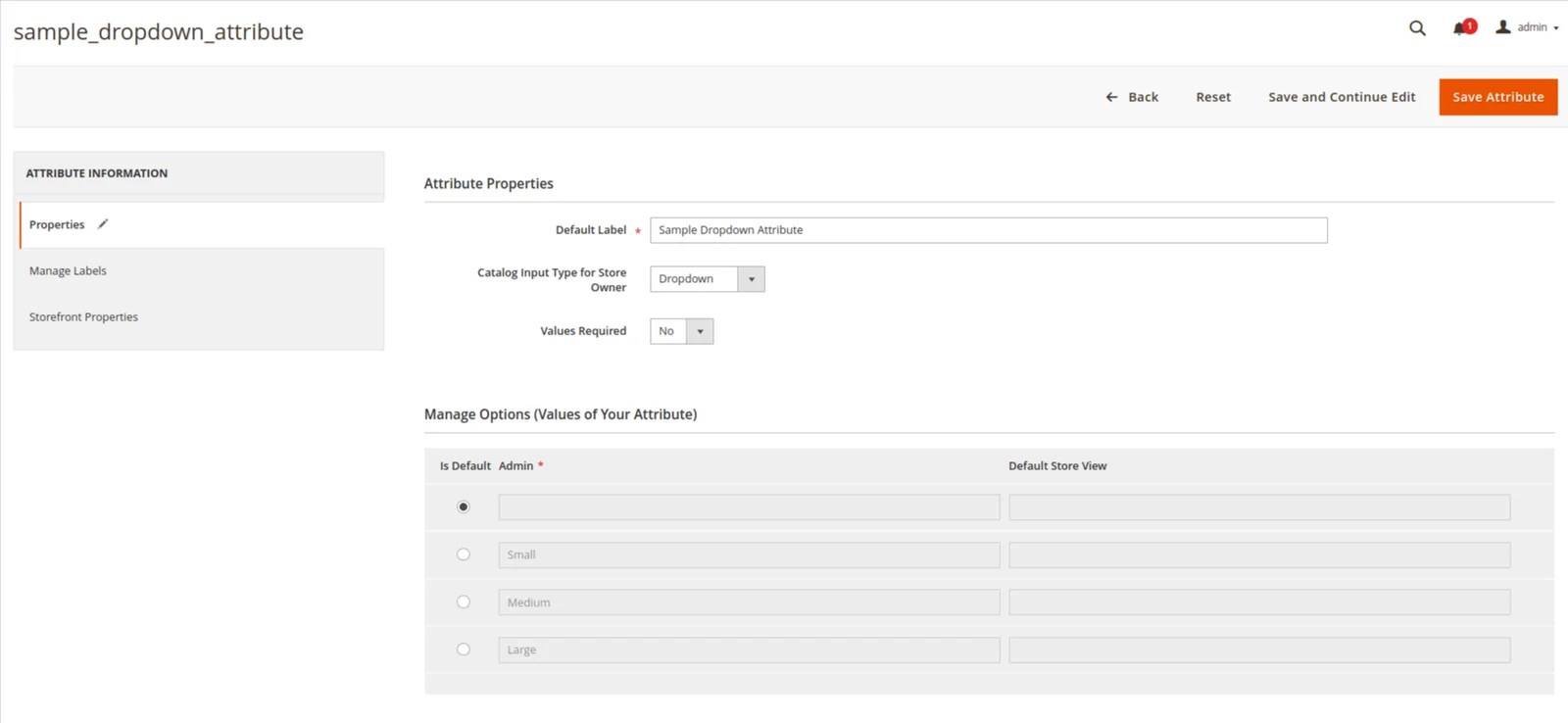
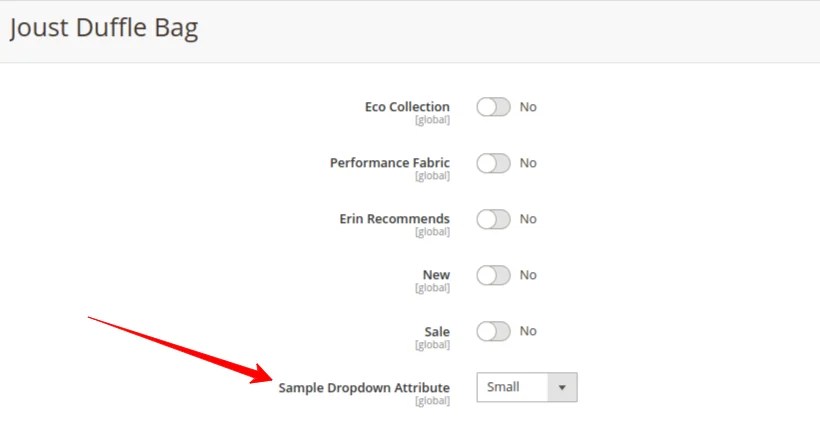
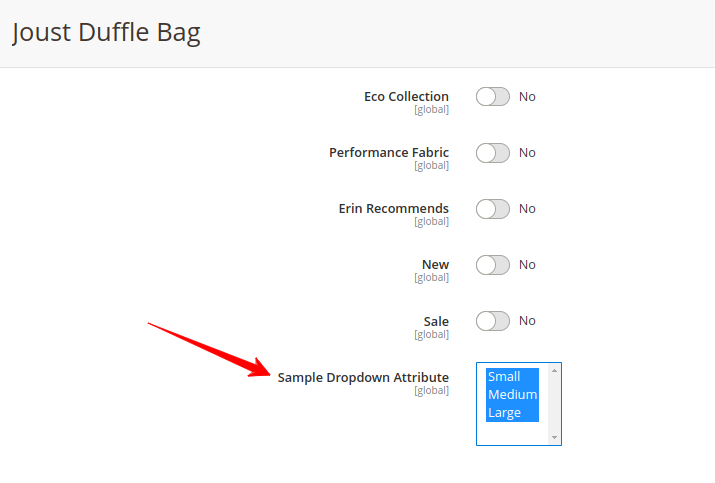
Output:
We hope this blog may understandable and useful to you. You can email us at mage2developer@gmail.com if we missed anything or want to add any suggestions. We will respond to you as soon as possible. Happy to help 🙂
